Deleting and Undoing
Feature Spec Reference
Module 2.3, Module 2.12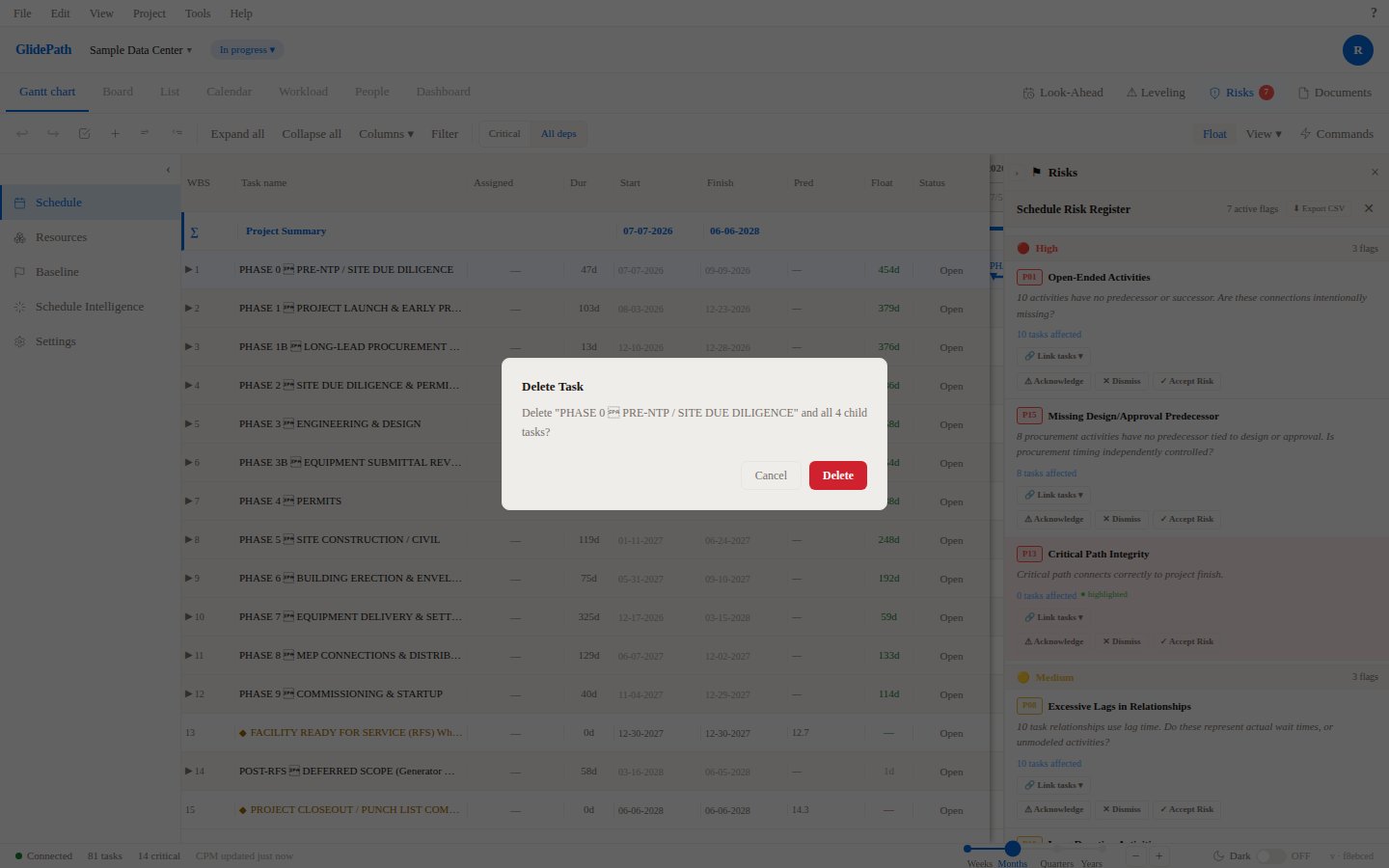
Deleting Tasks
To delete a task:- Select the task (click the row)
- Press Delete or right-click → Delete Task
- A confirmation dialog appears
Confirmation Dialog
The dialog shows:- Task name being deleted
- Number of dependent tasks (if any)
- Option to Delete or Cancel
Cascade Behavior
- Deleting a task with dependencies: The dependencies are removed; child tasks are re-parented (promoted)
- Deleting a summary task: Child tasks remain but are unindented (promoted to parent level)
- Deleting a non-critical task with float: No impact on project finish date
Delete Confirmation
Undo and Redo
Keyboard Shortcuts
- Ctrl+Z — Undo last action
- Ctrl+Y — Redo last undone action
Undo Stack
- GlidePath maintains a history of recent actions (default limit: 50 actions)
- You can undo/redo multiple times
- History clears on project close/reload (if not auto-saved)
What Can Be Undone
✓ Create task✓ Delete task
✓ Edit task field
✓ Move task (drag/indent)
✓ Add dependency
✓ Delete dependency
What Cannot Be Undone
✗ Save to server (permanent)✗ Import (bulk action)
✗ Export (read-only)